Skip to content
SealSense is seeking a strategic partner for commercialization, manufacturing and global market deployment.Talk to us

Tubeless sealant, measured

Know beforeyou go.

SealSense tells you how much sealant is left in your tubeless tire — in millilitres. One small unit clips onto the tire from inside the wheel; a minute later you have a number. No tools, no valve core out, no guessing on the trail.

The SealSense unit clipped onto a mountain-bike tire

Drag to turn

  1. 01Clips on

    Hooks over the tire from inside the wheel. No tools, nothing to undo.

  2. 02Guides you

    The app walks you through each measurement, step by step.

  3. 03Bluetooth

    Connects straight to the app in your browser. Nothing to install.

  4. 04USB charging

    Charges over USB. Hold the button until the LED blinks and it’s ready.

  • Sealant in millilitres
  • Pressure, with its ±
  • No valve core out
  • No tools
  • No account
  • About a minute per tire
  • No mess
  • Everything stays on your device

01The problem

Sealant dries.Punctures don’t wait.

Tubeless sealant quietly dries out over a few months. Most riders find out how much is left the hard way — on the trail, with a hole that won’t seal.

Shaking the wheel for a slosh tells you something is in there. It doesn’t tell you whether it’s enough.

Month 6.08mlEMPTY
EMPTYLOWOKFULL04080120top-up1 mo2 mo3 mo4 mo5 mo6 moLOW FROM HEREFine for a short spin; top up before a long or rocky ride.EMPTYA puncture will not seal.
Illustration. How fast sealant dries depends on the sealant, the heat and the riding.

02My SealSense

Tires. Measure.History.

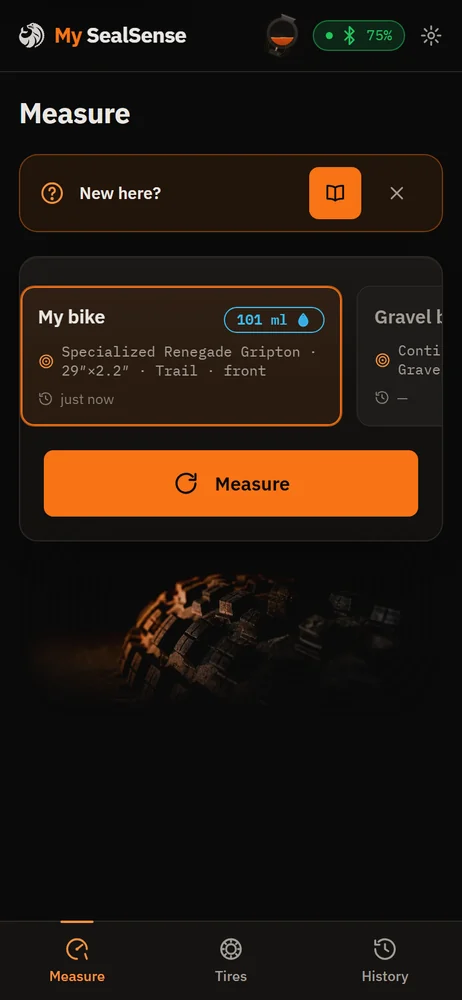
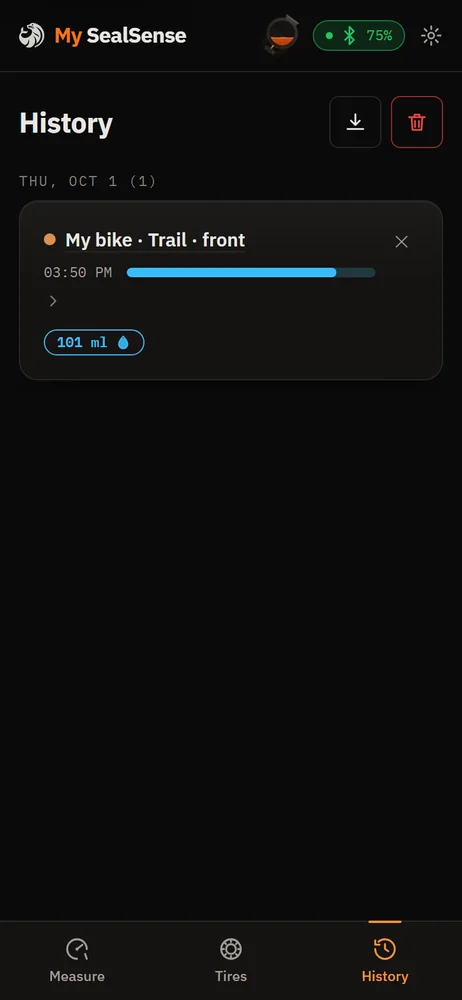
Describe each tire once. Pick it and measure whenever you like. Every reading is kept, and each tire’s page shows how its sealant is drying — and when it’s due.

03How it works

Your firstmeasurement.

Tubeless sealant dries out over a few months, and most riders find out how much is left on the trail. SealSense tells you in millilitres from outside the tire: a minute at the bike, no tools, no valve core. The app has three tabs, Tires, Measure and History. Here is your first measurement, step by step.

  1. PSI25–40for best results102025304050

    00Check the pressure

    For optimal results, make sure the tire is between 25 and 40 PSI before you measure.

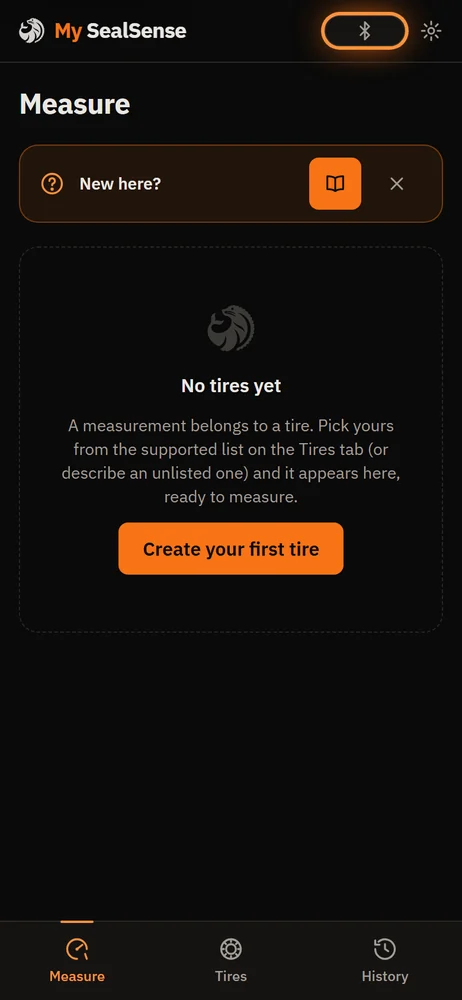
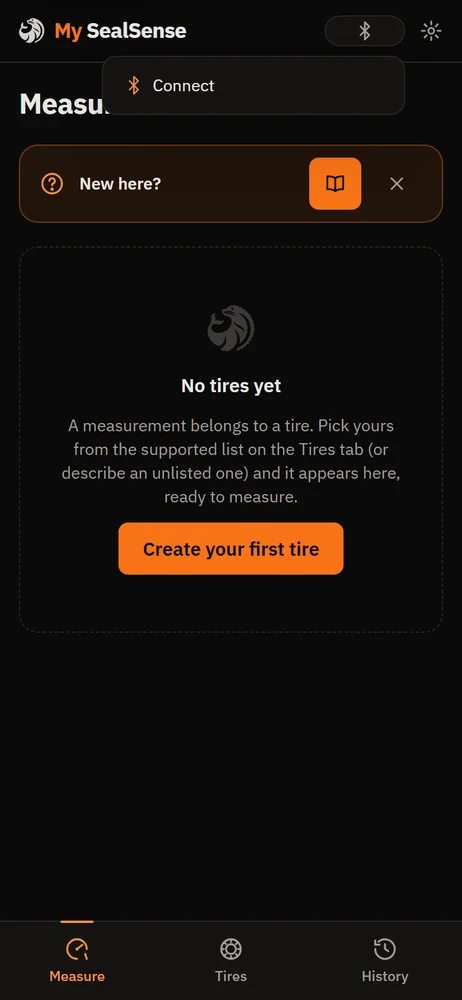
  2. The Measure tab before the first tire, the Bluetooth pill in the toolbar ringedThe pill opened: Connect a sensor

    01Switch the unit on and connect

    Hold the unit’s button until its light blinks. Tap the Bluetooth pill in the toolbar and choose Connect; the pill turns green with the battery once they are paired. Chrome or Edge, or Bluefy on an iPhone.

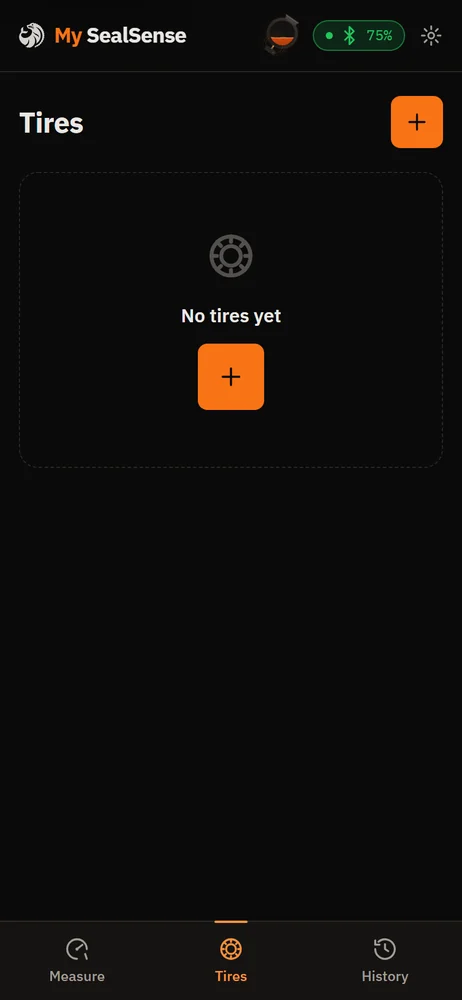
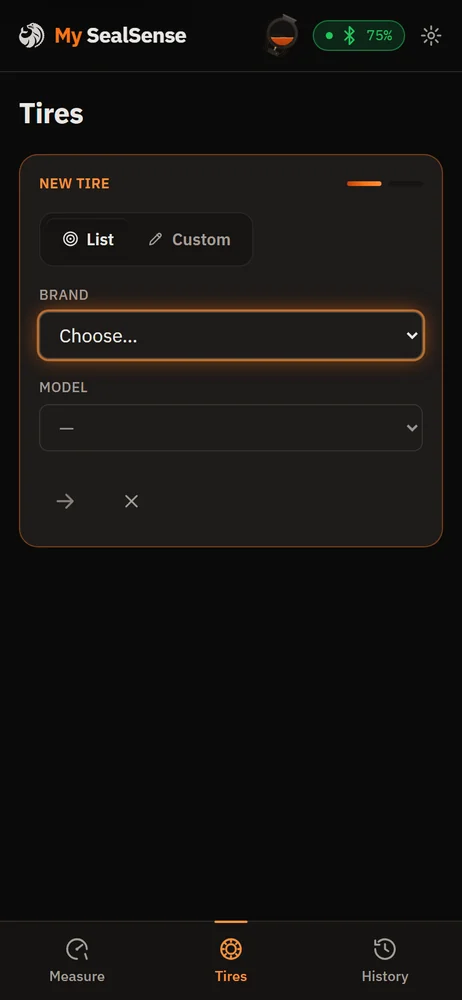
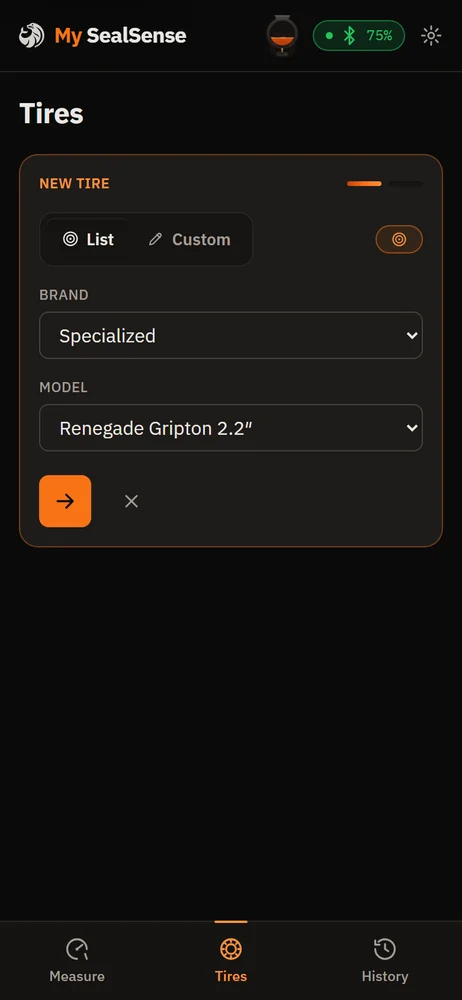
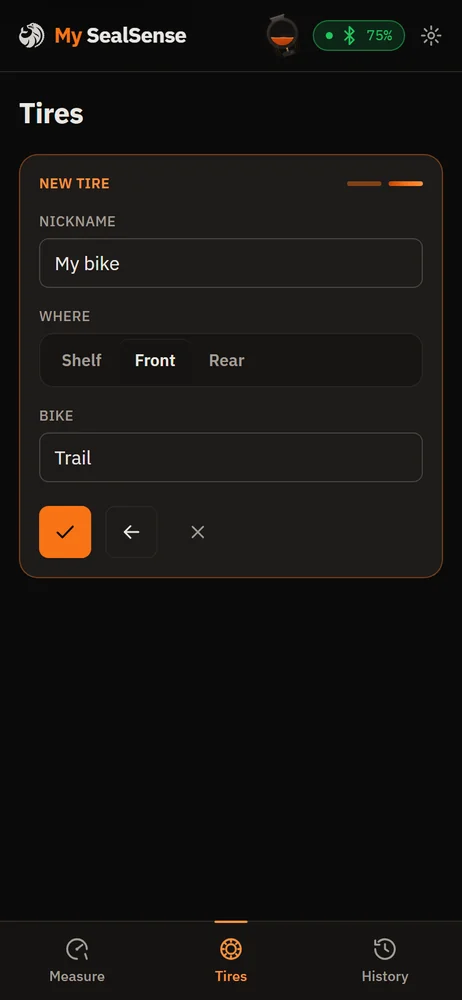
  3. The Tires tab, empty, with the plus buttonA new tire: the brand drop-down, waiting for a choiceA new tire: brand and model chosen, the arrow to continueOptional details: nickname, front or rear, and the bike

    02Add your tires

    Open Tires and tap the plus. Pick the brand and model, tap the arrow for the optional details (a nickname, front or rear, the bike) and save with the check. Add as many tires as you ride.

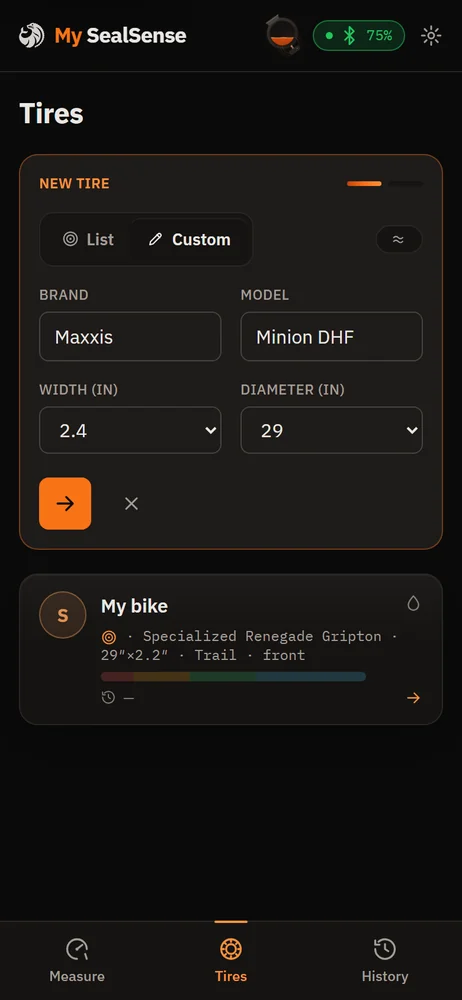
  4. A custom tire: brand, model, width and diameter typed in

    03An unlisted tire? Describe it

    Not in the list? Switch to Custom and type its brand, model, width and diameter. Readings then use the general model, without pressure.

  5. 0°90°1 · hook on at 90°puck on the tire2 · wheel liftedtire off the ground3 · bike stillnobody leaning4 · hold in each banduntil it fillsgap
    The unit hooked over the tire from inside the lifted front wheel at the 90° mark, snug against the rim and square to it.

    04Clip the unit onto the tire

    From inside the wheel, hook the unit over the tire at the side, level with the axle. Make sure it sits snug against the rim and stands square to it, not tilted to either side.

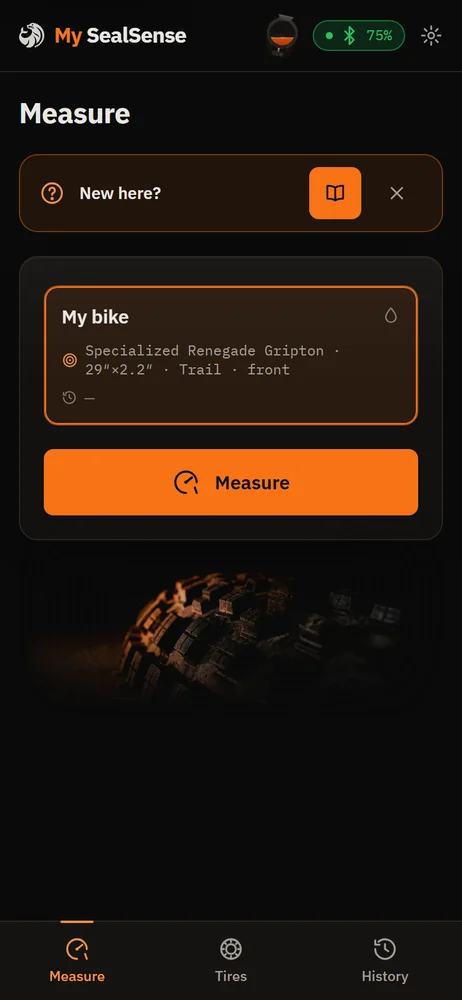
  6. The Measure tab with one tire picked and the Measure button

    05Tap Measure

    Lift the wheel so it spins freely, easiest with the bike upside down. Open Measure, pick the tire and tap Measure.

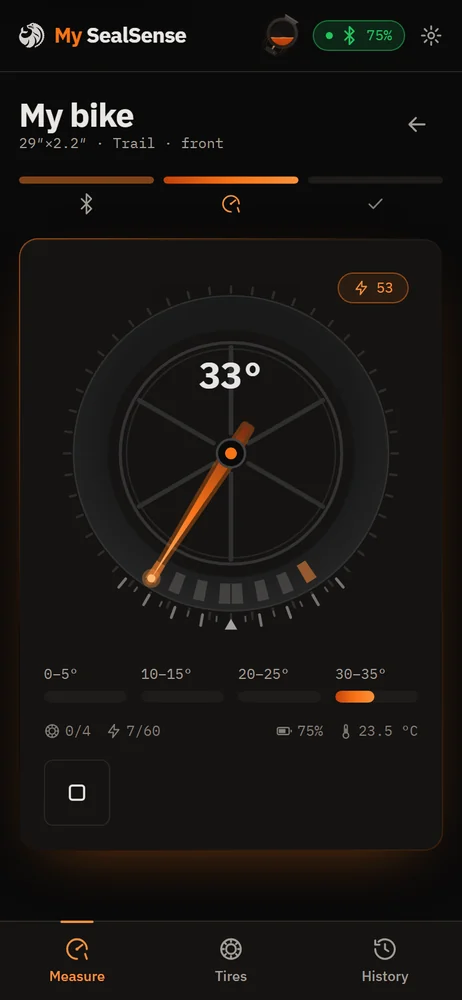
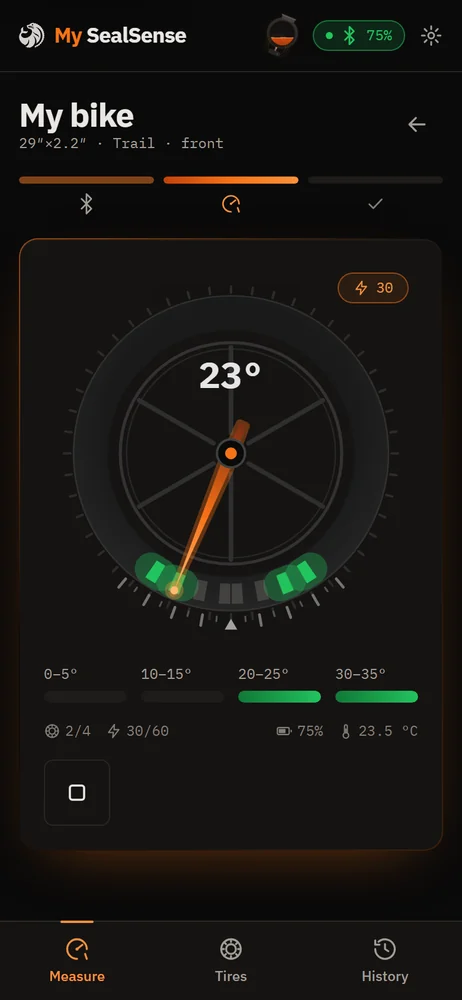
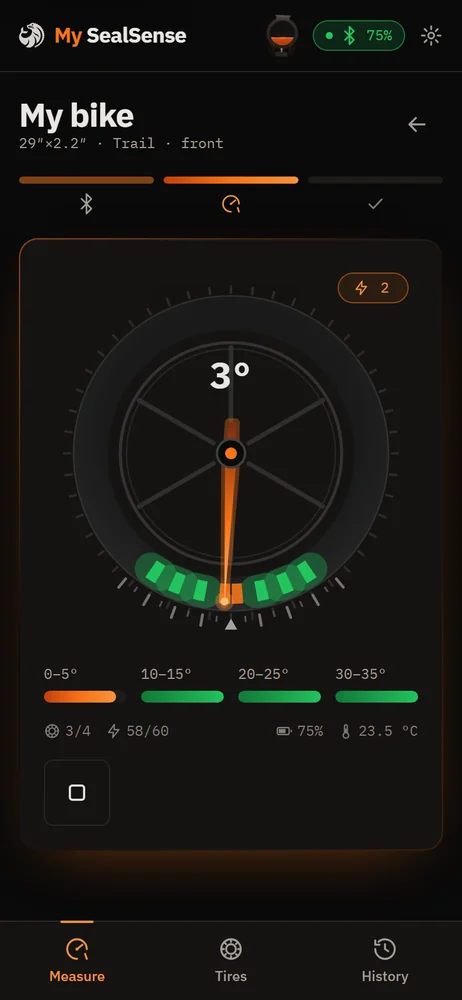
  7. The live dial at the start, the first band ahead of the needleThe dial zoomed in on a band, strikes counting upBands turning green as each one completes

    06Hold the wheel in each band

    Rotate the wheel into the first angle band and hold it there until all 15 strikes are completed and the progress bar turns green. If you overshoot the angle band in either direction, rotate the wheel back into the band and wait for the 15 strikes to be completed. The unit waits for each band to finish, in order, before the next one counts.

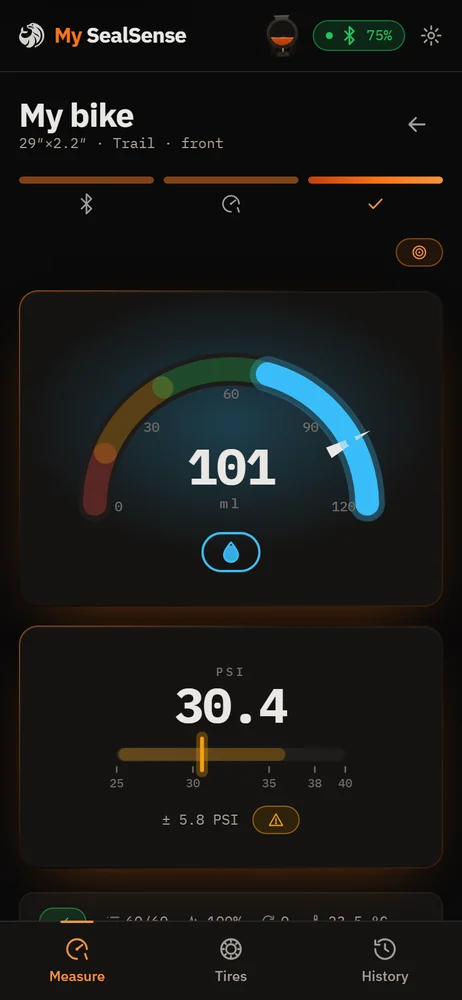
  8. The result: the sealant gauge in millilitres and the pressure in PSI

    07Read the result

    Sealant in millilitres, pressure in PSI, and whether to top up. Saved to History under the tire.

  9. The Measure tab with two tire cards side by side

    08Switch between tires

    Every tire is a card on Measure. Scroll the row to pick another and measure it the same way.

  10. The History tab listing the measurements

    09Look back in History

    Every reading, newest first. A tire’s page shows its sealant drying over time.

  11. Ready

    Open the app
    and measure.

    • The unit, charged over USB; hold its button until the light blinks.
    • A phone or laptop with Chrome or Edge, or the free Bluefy browser on an iPhone.
    • About a minute per tire, with the wheel lifted off the ground.
    Open the appOpen My SealSense

Your sealant is drying right now

Ride withoutlimits.

Find out how much is left before the trail does. One minute, one clip, one number.

04Contact

Get intouch.

Have questions? Send us a message and we’ll get back to you.

Subject

Protected by hCaptcha — its Privacy Policy and Terms apply.

Terms & ConditionsLast updated: May 10, 2026

1.Acceptance of Terms

By accessing or using the SealSense application, website (go.sealsense.co, my.sealsense.co), or any related services (collectively, the "Service"), you agree to be bound by these Terms & Conditions. If you do not agree to all of these terms, you may not use the Service.

2.Description of Service

SealSense provides a non-invasive tire sealant measurement system that uses vibration analysis to assess sealant levels inside sealed tires. The Service includes the SealSense hardware sensor, the companion web application, and any associated data processing and analytics features.

3.User Accounts

To access certain features, you may be required to create an account. You are responsible for maintaining the confidentiality of your account credentials and for all activities that occur under your account. You agree to provide accurate and complete information during registration and to update such information as necessary.

4.Acceptable Use

You agree to use the Service only for its intended purpose — measuring and monitoring tire sealant levels. You shall not: (a) reverse-engineer, decompile, or disassemble any part of the Service; (b) use the Service for any unlawful purpose; (c) attempt to gain unauthorized access to the Service or its related systems; (d) interfere with or disrupt the Service or servers.

5.Measurement Disclaimer

SealSense measurements are provided as estimates based on vibration analysis and machine learning models. Results should be used as a guideline and are not a substitute for professional tire inspection. SealSense Tech makes no warranty regarding the absolute accuracy of measurements and shall not be held liable for decisions made based on measurement results.

6.Intellectual Property

All content, software, designs, logos, and technology associated with the Service are the exclusive property of SealSense Tech and are protected by applicable intellectual property laws. You may not copy, modify, distribute, or create derivative works based on any part of the Service without prior written consent.

7.Data & Privacy

Your use of the Service is also governed by our Privacy Policy. By using the Service, you consent to the collection and use of your data as described therein. Measurement data, tire profiles, and usage analytics may be collected to improve the Service. Personal data will not be sold to third parties.

8.Limitation of Liability

To the maximum extent permitted by law, SealSense Tech shall not be liable for any indirect, incidental, special, consequential, or punitive damages arising out of or related to your use of the Service. Our total liability shall not exceed the amount paid by you, if any, for access to the Service during the twelve (12) months preceding the claim.

9.Modifications to Terms

SealSense Tech reserves the right to modify these Terms at any time. Changes will be effective upon posting to the Service. Your continued use of the Service after any such changes constitutes your acceptance of the new Terms.

10.Termination

We reserve the right to suspend or terminate your access to the Service at any time, with or without cause, and with or without notice. Upon termination, your right to use the Service ceases immediately.

11.Governing Law

These Terms shall be governed by and construed in accordance with the laws of the State of Israel, without regard to its conflict-of-law provisions. Any disputes arising under these Terms shall be subject to the exclusive jurisdiction of the courts located in Israel.

12.Contact

If you have any questions about these Terms, please contact us through our contact form.